Introduction to Beacon Functions on Routers
Beacon
Interval is one of the router settings that is often overlooked or not talked
about enough when you are trying to optimize your wireless speed. In this
simple-to-understand guide, we will discuss what Beacon Interval means, the
effects of setting a higher or lower beacon value, and finally some scenarios
where you can optimize the Beacon Interval value for your router's wireless
connection settings.
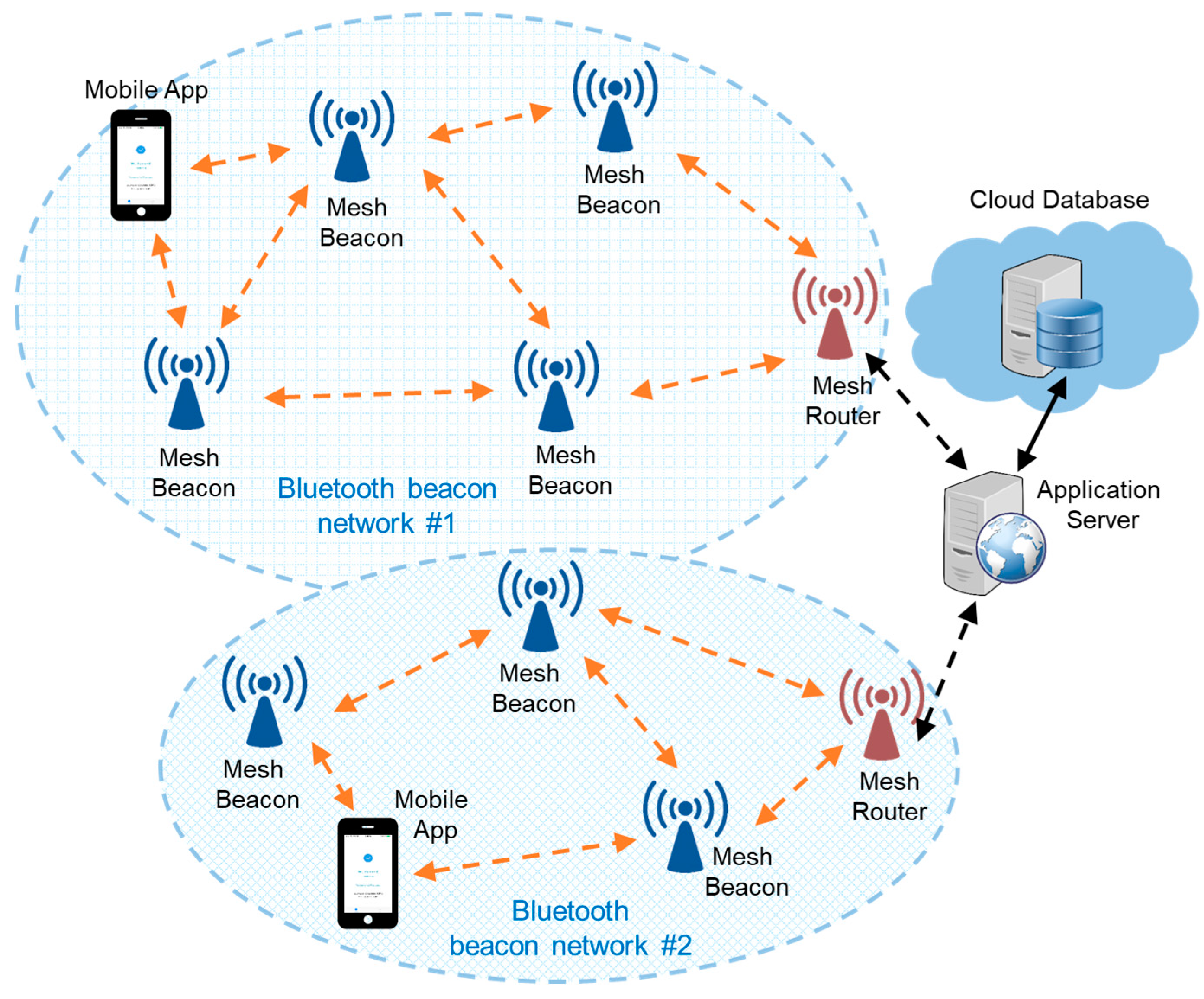
What
is Beacon Interval Broadcast signal interval is the time delay between each
beacon sent by a router or access point. By definition, the lower the value,
the smaller the time lag which means that beacons are sent more frequently. The
higher the value, the greater the time lag which means that the sent beacons
are broadcast less frequently.
Beacons
are necessary for your device or client to receive information about a
particular router. In this case, the beacon includes some key information such
as SSID, Timestamp, and various parameters.
Most
routers out of the box have the default Beacon Interval function value set at
100 ms. In most cases, it is a decent number that is compatible with most
situations. However, it is not an ideal optimal value because it all really
depends on how you set up your network.
Benefits
of higher or lower Beacon IntervalHigher Beacon Interval: Beacons broadcast by
your router take up some bandwidth that can be used for actual data
transmission. So by having higher numbers, you will be able to achieve better
throughput and thus better speed and performance.
Your
mobile devices such as tablets (iPad or Galaxy), mobile phones such as Apple
iPhone or Android phones, VoIP systems, and laptops may also have better
battery life. As your wireless adapter card can "sleep" between beacon
broadcasts, your device saves the same energy consumption by using the battery
longer between charges.
Low
Beacon Interval: A lower signal interval allows faster discovery of the router
because it sends beacons more frequently. This can help with weak signals in
poor reception environments because the device has a better chance of
"catching" beacons when they are sent more frequently. This can also
help with multiple access points with roaming setup, as your device can make
better decisions about which AP to connect to.
In
some special cases, low beacon broadcasting intervals can improve connections
by “not” letting your wireless devices go to sleep. However, this situation
is quite rare because sometimes there are equivalent router settings that prevent
your mobile device from entering sleep mode.
General
Beacon Interval Range Configuration Depending on the brand and manufacturer of
your router, different brands and models offer different allowable signal
interval ranges. default is usually 100 ms. And the allowed range is usually
between 20 ~ 1000 (Asus), 1 ~ 65535 (Netgear), 25 ~ 500 (D-Link), and 1024. This
range usually cannot be changed unless you install third-party firmware.
How
to Optimize Your Router's Beacon Interval Settings Some popular guides or
discussions simply tell you to change your Wi-Fi signal interval to 50 vs the
default value of 100 ms. This is clearly not true or is often bad advice to do
so.
To
really know the optimal value you should use, you first have to understand what
the beacon interval is and look at your wireless network router setup to tweak
it for the best value. In most cases for basic home purposes where you have a
single router or access point, you should generally go with the highest value
allowed. Simply go to your router's settings page, and punch in the highest
possible value and your router will let you know the number they will go with.
The
reason behind this tweak is quite simple, your basic home network may not
implement some APs that you could benefit from roaming on. And you may not be
roaming around your house at fast speeds while using your Wi-Fi devices inside
your home. Maybe you'll be watching streaming TV or movies, or playing games, but you'll probably stay in one fixed place and not disconnect your wireless
connection and reconnect frequently.
And
in online gaming, you probably already have a decent setup and you'll usually
stay in one place with decent signal strength. This means that you will not
benefit at all from a low Beacon Interval value, in fact, you want the highest
value possible so that you can save all available bandwidth for your gaming
purposes.
Now,
when you start adding multiple APs to your wireless network, you may have to be
extra careful about tuning the beacon interval configuration. You want beacons
to be broadcast frequently enough so that your client's wifi picks up while
saving bandwidth which makes the overall performance worthwhile. In this case,
if you are having difficulty with 100 ms roaming, then you might consider
changing the value by dropping it to 50 ms first, and then tweaking the settings
continuously while monitoring your network performance.
Finally,
depending on your actual network usage, you may also need a lower signal
interval. This case only applies if you have a device that requires
time-sensitive broadcasts such as VoIP, a phone that picks up calls, or
AirPlay. You don't want to set up your wifi network configuration in such a way
that your device wakes up every 10 minutes to take calls or notifications.
In
general, you will start to experience and really notice a drop in performance
ratings when you have below 5ms beacon interval. (Even the performance
downgrades still have higher values, they're just less noticeable).
إرسال تعليق